Another great thought is split-tunneling for gl inet version. Would be great for self-hosting dockers, websites and so on due to forwarding..
1 Like
v1.27.0 released
-
NTP bug fix
-
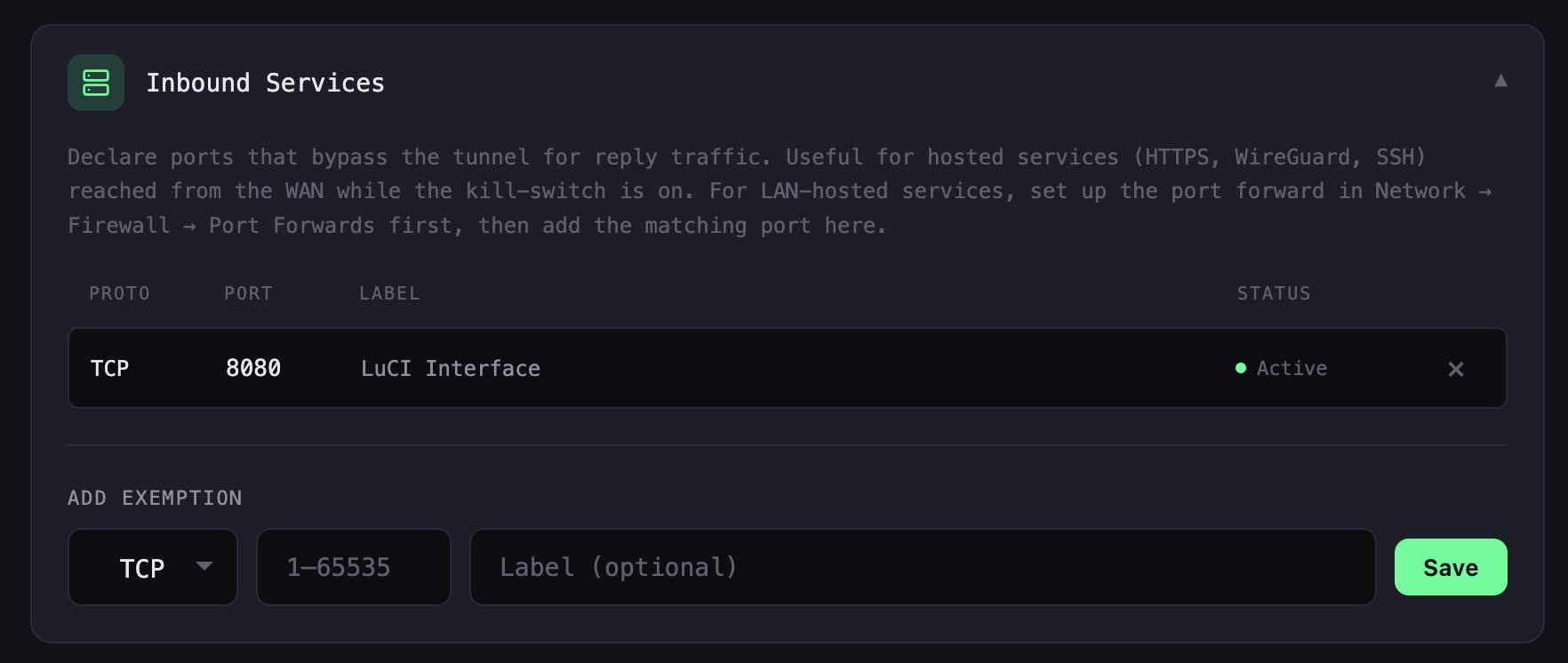
Added inbound service exception for port forwarding
-
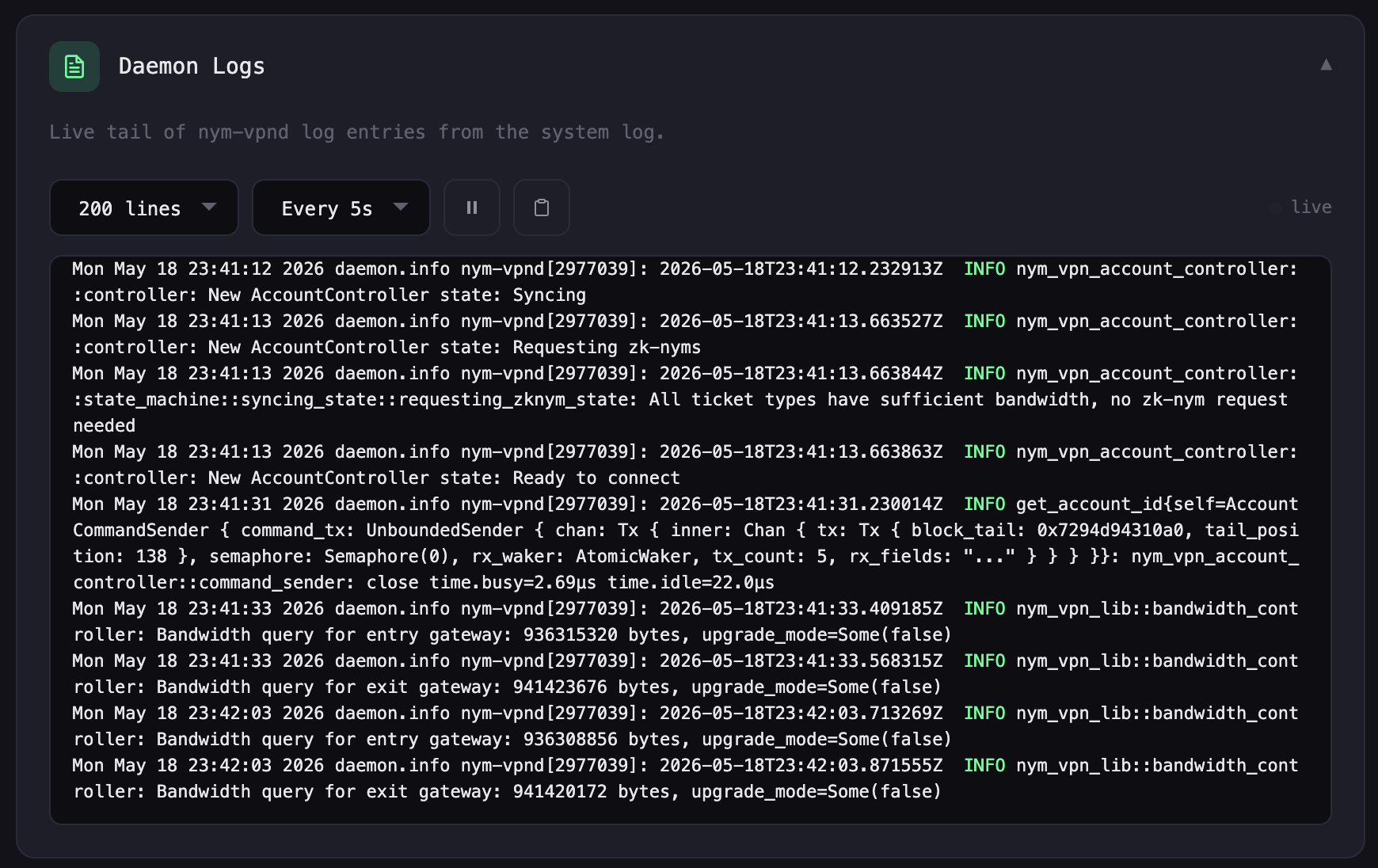
New log viewer
-
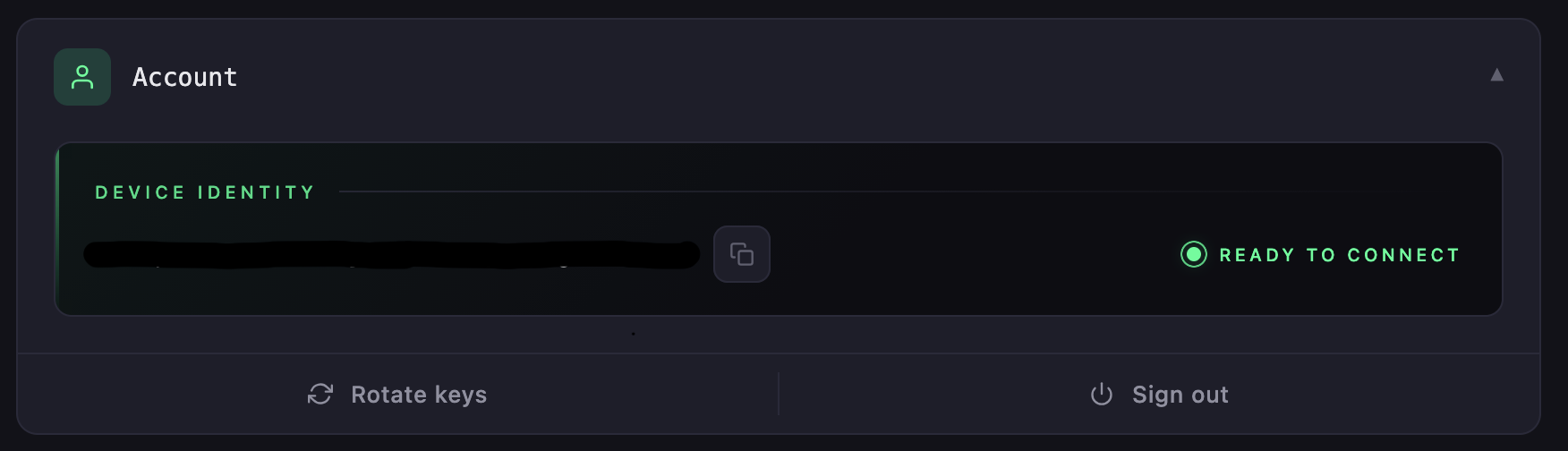
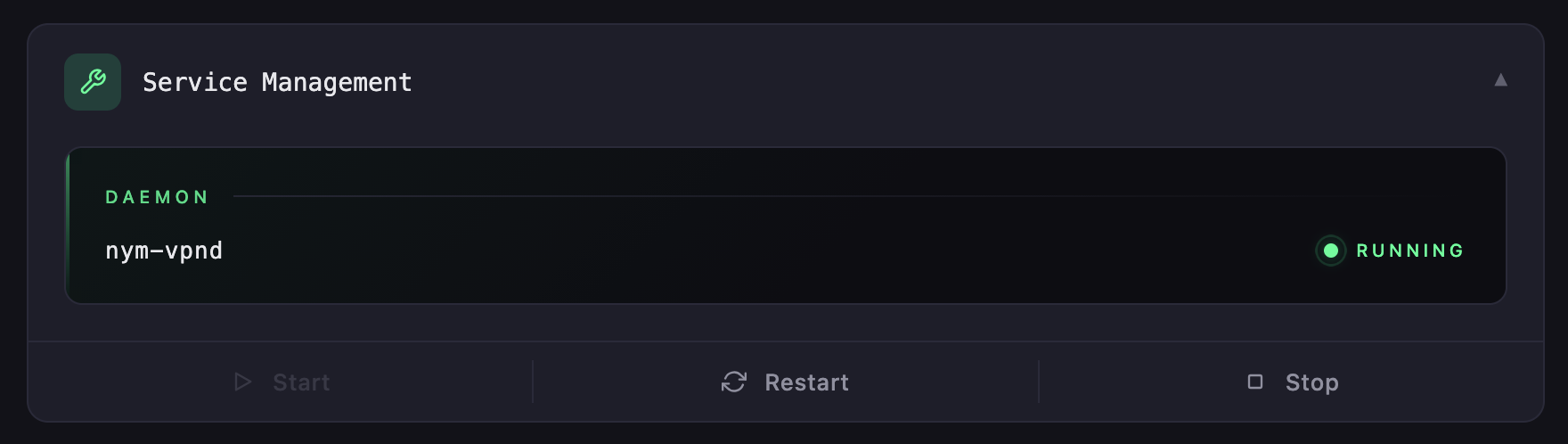
Updated Account and Service Management cards
Hi, I am experimenting nym vpn with openwrt and I have some problems…
It is not connecting…
The all instalation was successful but it is not connecting…
See some error message logging…
WARN LOGS…
- WARN nym_http_api_client: Retrying request due to http error on attempt (1/3): error sending request for url (https://validator.nymtech.net/api/v1/epoch/key-rotation-info)
- WARN nym_gateway_client::client: Not enough bandwidth. Trying to get more bandwidth, this might take a while
ERROR LOGS…
- ERROR nym_client_core::client::topology_control::nym_api_provider: failed to get network nodes: failed to send request for https://validator.nymtech.net/api/v1/nym-nodes/rewarded-set: failed to connect: error sending request for url (https://validator.nymtech.net/api/v1/nym-nodes/rewarded-set) unknown status code source: client error (Connect)
- ERROR nym_client_core::client::topology_control::nym_api_provider: failed to get network nodes: failed to send request for https://validator.nymtech.net/api/v2/unstable/nym-nodes/skimmed/mixnodes/active?page=0: failed to connect: error sending request for url (https://validator.nymtech.net/api/v2/unstable/nym-nodes/skimmed/mixnodes/active?page=0) unknown status code source: client error (Connect)
- ERROR nym_vpn_lib::mixnet::topology_service: Error: failed to fetch topology
ERROR nym_vpn_lib::tunnel_state_machine::tunnel_monitor: Error: Tunnel monitor exited with error
about bandwidth limit:
I use nothing of nym vpn and I asked nym support to reset bandwidth limit, probably it is a bug… But it is just occuring when I try connect nym in openwrt and in my other normal linux laptop nym is working well with the version for linux laptops !
I am using openwrt install in a kvm VM routing using a usb adapter ethernet!
After install the openwrt in VM, without nym, the routing is working perfectly… after nym installation is not working more and I have this issues!
Can be firewall rules that is not working? Say me the list of rules the firewall of openwrt with nym vpn must show? I will check it here!
other errors…
ERROR nym_vpn_lib::tunnel_state_machine::tunnel_monitor: Error: Tunnel monitor exited with error
ERROR nym_sqlx_pool_guard: Failed to read symlink: No such file or directory (os error 2)
ERROR nym_sqlx_pool_guard: Failed to read symlink: No such file or directory (os error 2)
ERROR nym_sqlx_pool_guard: Failed to read symlink: No such file or directory (os error 2)
ERROR nym_sqlx_pool_guard: Failed to read symlink: No such file or directory (os error 2)
ERROR nym_vpn_lib::tunnel_state_machine::tunnel_monitor: Error: Tunnel monitor exited with error
In this case I select random gateway anyway to entry node and exit node in fast mode!
Hi,
The real issue seems to be this:
failed to connect: error sending request for url (https://validator.nymtech.net/…)
The daemon can’t reach the Nym API from your router, so it never fetches the network topology. The bandwidth warning and the symlink errors are just noise from the retry loop, ignore them.
Since your laptop works on the same network, something on the router specifically is breaking the request. SSH in and run:
date
nslookup validator.nymtech.net
wget -O- https://validator.nymtech.net/api/v1/epoch/key-rotation-info
ping -c 2 validator.nymtech.net
nft list table inet nym
iptables -L -n -v | grep -i nym
Paste the output of those commands here please.
Also, let me know which version you are running, do:
cat /etc/os-release
nym-vpnc --version
All output commands and the guide to create a openwrt in a VM KVM in a linux debian/ubuntu:
Remember, I am using openwrt in a KVM VM inside a debian using a usb ethernet adapter. Before nym, all is working, route any external device… After nym installation, nym do not work and show these issues! I did not change any configuration in openwrt version 25.12.4 before nym installation and after the installation!
Before this result, I tried:
- use 2 diferent router (gateway) with diferente address for VM and nothing
- I used for openwrt ip: 192.168.1.1/24 and after 10.0.0.1, see in /etc/config/network, I access LuCi using http://10.0.0.1
- I tested all this to check if could work! But not work! I did it to avoid network conflict!
root@OpenWrt:/etc/config/temp# cat /etc/os-release
NAME=“OpenWrt”
VERSION=“25.12.4”
ID=“openwrt”
ID_LIKE=“lede openwrt”
PRETTY_NAME=“OpenWrt 25.12.4”
VERSION_ID=“25.12.4”
HOME_URL=“Testing to determine if you are a bot!
BUG_URL=“Issues · openwrt/openwrt · GitHub
SUPPORT_URL=“https://forum.openwrt.org/”
FIRMWARE_URL=“https://downloads.openwrt.org/”
BUILD_ID=“r32933-4ccb782af7”
OPENWRT_BOARD=“x86/64”
OPENWRT_ARCH=“x86_64”
OPENWRT_TAINTS=“”
OPENWRT_DEVICE_MANUFACTURER=“OpenWrt”
OPENWRT_DEVICE_MANUFACTURER_URL=“Testing to determine if you are a bot!
OPENWRT_DEVICE_PRODUCT=“Generic”
OPENWRT_DEVICE_REVISION=“v0”
OPENWRT_RELEASE=“OpenWrt 25.12.4 r32933-4ccb782af7”
OPENWRT_BUILD_DATE=“1778712129”
root@OpenWrt:/etc/config/temp# nym-vpnc --version
nym-vpnc 1.27.0
root@OpenWrt:/etc/config/temp# nslookup validator.nymtech.net
Server: 127.0.0.1
Address: 127.0.0.1:53
** server can’t find validator.nymtech.net: REFUSED
** server can’t find validator.nymtech.net: REFUSED
root@OpenWrt:/etc/config/temp# wget -O- https://validator.nymtech.net/api/v1/epoch/key-rotation-info
Downloading ‘https://validator.nymtech.net/api/v1/epoch/key-rotation-info’
Failed to send request: Operation not permitted
root@OpenWrt:/etc/config/temp# ping -c 2 validator.nymtech.net
ping: bad address ‘validator.nymtech.net’
root@OpenWrt:/etc/config/temp# nft list table inet nym
table inet nym {
	chain input {
		type filter hook input priority filter - 10; policy accept;
		iifname "lo" accept
		ct state established,related accept
		udp sport 67 udp dport 68 accept
		udp dport 67 accept
		udp sport 547 udp dport 546 accept
		udp dport 547 accept
		icmpv6 type nd-router-advert accept
		icmpv6 type nd-neighbor-solicit accept
		icmpv6 type nd-neighbor-advert accept
		icmpv6 type nd-redirect accept
		ip saddr 10.0.0.0/8 accept
		ip saddr 172.16.0.0/12 accept
		ip saddr 192.168.0.0/16 accept
		ip6 saddr fe80::/10 accept
		ip6 saddr fc00::/7 accept
	}

	chain output {
		type filter hook output priority filter - 10; policy accept;
		oifname "lo" accept
		ct state established,related accept
		udp sport 68 udp dport 67 accept
		udp sport 67 udp dport 68 accept
		udp sport 546 udp dport 547 accept
		udp sport 547 udp dport 546 accept
		icmpv6 type nd-router-solicit accept
		icmpv6 type nd-neighbor-solicit accept
		icmpv6 type nd-neighbor-advert accept
		udp dport 53 reject
		tcp dport 53 reject
		udp dport 123 limit rate 12/minute burst 8 packets accept
		ip daddr 10.0.0.0/8 accept
		ip daddr 172.16.0.0/12 accept
		ip daddr 192.168.0.0/16 accept
		ip6 daddr fe80::/10 accept
		ip6 daddr fc00::/7 accept
		ip daddr 224.0.0.0/4 accept
		ip6 daddr ff00::/8 accept
		reject
	}

	chain forward {
		type filter hook forward priority filter - 10; policy accept;
		ct state established,related accept
		udp dport 53 reject
		tcp dport 53 reject
		ip daddr 10.0.0.0/8 accept
		ip daddr 172.16.0.0/12 accept
		ip daddr 192.168.0.0/16 accept
		ip6 daddr fe80::/10 accept
		ip6 daddr fc00::/7 accept
		reject
	}
}
root@OpenWrt:/etc/config/temp# iptables --list
-ash: iptables: not found
root@OpenWrt:/etc/config/temp# iptables -L -n -v | grep -i nym
-ash: iptables: not found
all ruleset of nftables
root@OpenWrt:/etc/config/temp# nft list table inet nym
table inet nym {
	chain input {
		type filter hook input priority filter - 10; policy accept;
		iifname "lo" accept
		ct state established,related accept
		udp sport 67 udp dport 68 accept
		udp dport 67 accept
		udp sport 547 udp dport 546 accept
		udp dport 547 accept
		icmpv6 type nd-router-advert accept
		icmpv6 type nd-neighbor-solicit accept
		icmpv6 type nd-neighbor-advert accept
		icmpv6 type nd-redirect accept
		ip saddr 10.0.0.0/8 accept
		ip saddr 172.16.0.0/12 accept
		ip saddr 192.168.0.0/16 accept
		ip6 saddr fe80::/10 accept
		ip6 saddr fc00::/7 accept
	}
root@OpenWrt:/etc/config/temp# nft list ruleset
table inet fw4 {
	chain input {
		type filter hook input priority filter; policy drop;
		iif "lo" accept comment "!fw4: Accept traffic from loopback"
		ct state vmap { established : accept, related : accept } comment "!fw4: Handle inbound flows"
		tcp flags & (fin | syn | rst | ack) == syn jump syn_flood comment "!fw4: Rate limit TCP syn packets"
		iifname "br-lan" jump input_lan comment "!fw4: Handle lan IPv4/IPv6 input traffic"
		iifname "eth0" jump input_wan comment "!fw4: Handle wan IPv4/IPv6 input traffic"
		jump handle_reject
	}

	chain forward {
		type filter hook forward priority filter; policy drop;
		ct state vmap { established : accept, related : accept } comment "!fw4: Handle forwarded flows"
		iifname "br-lan" jump forward_lan comment "!fw4: Handle lan IPv4/IPv6 forward traffic"
		iifname "eth0" jump forward_wan comment "!fw4: Handle wan IPv4/IPv6 forward traffic"
		jump handle_reject
	}

	chain output {
		type filter hook output priority filter; policy accept;
		oif "lo" accept comment "!fw4: Accept traffic towards loopback"
		ct state vmap { established : accept, related : accept } comment "!fw4: Handle outbound flows"
		oifname "br-lan" jump output_lan comment "!fw4: Handle lan IPv4/IPv6 output traffic"
		oifname "eth0" jump output_wan comment "!fw4: Handle wan IPv4/IPv6 output traffic"
	}

	chain prerouting {
		type filter hook prerouting priority filter; policy accept;
		iifname "br-lan" jump helper_lan comment "!fw4: Handle lan IPv4/IPv6 helper assignment"
	}

	chain handle_reject {
		meta l4proto tcp reject with tcp reset comment "!fw4: Reject TCP traffic"
		reject comment "!fw4: Reject any other traffic"
	}

	chain syn_flood {
		limit rate 25/second burst 50 packets return comment "!fw4: Accept SYN packets below rate-limit"
		drop comment "!fw4: Drop excess packets"
	}

	chain input_lan {
		jump accept_from_lan
	}

	chain output_lan {
		jump accept_to_lan
	}

	chain forward_lan {
		jump accept_to_wan comment "!fw4: Accept lan to wan forwarding"
		jump accept_to_lan
		jump nym_forward_lan
	}

	chain helper_lan {
	}

	chain accept_from_lan {
		iifname "br-lan" counter packets 574 bytes 60299 accept comment "!fw4: accept lan IPv4/IPv6 traffic"
	}

	chain accept_to_lan {
		oifname "br-lan" counter packets 68 bytes 7424 accept comment "!fw4: accept lan IPv4/IPv6 traffic"
	}

	chain input_wan {
		meta nfproto ipv4 udp dport 68 counter packets 0 bytes 0 accept comment "!fw4: Allow-DHCP-Renew"
		icmp type echo-request counter packets 0 bytes 0 accept comment "!fw4: Allow-Ping"
		meta nfproto ipv4 meta l4proto igmp counter packets 7 bytes 252 accept comment "!fw4: Allow-IGMP"
		meta nfproto ipv6 udp dport 546 counter packets 0 bytes 0 accept comment "!fw4: Allow-DHCPv6"
		ip6 saddr fe80::/10 icmpv6 type . icmpv6 code { mld-listener-query . 0, mld-listener-report . 0, mld-listener-done . 0, mld2-listener-report . 0 } counter packets 54 bytes 3888 accept comment "!fw4: Allow-MLD"
		icmpv6 type { destination-unreachable, time-exceeded, echo-request, echo-reply, nd-router-solicit, nd-router-advert } limit rate 1000/second burst 5 packets counter packets 6 bytes 424 accept comment "!fw4: Allow-ICMPv6-Input"
		icmpv6 type . icmpv6 code { packet-too-big . 0, parameter-problem . 0, nd-neighbor-solicit . 0, nd-neighbor-advert . 0, parameter-problem . 1 } limit rate 1000/second burst 5 packets counter packets 0 bytes 0 accept comment "!fw4: Allow-ICMPv6-Input"
		jump reject_from_wan
	}

	chain output_wan {
		jump accept_to_wan
	}

	chain forward_wan {
		icmpv6 type { destination-unreachable, time-exceeded, echo-request, echo-reply } limit rate 1000/second burst 5 packets counter packets 0 bytes 0 accept comment "!fw4: Allow-ICMPv6-Forward"
		icmpv6 type . icmpv6 code { packet-too-big . 0, parameter-problem . 0, parameter-problem . 1 } limit rate 1000/second burst 5 packets counter packets 0 bytes 0 accept comment "!fw4: Allow-ICMPv6-Forward"
		meta l4proto esp counter packets 0 bytes 0 jump accept_to_lan comment "!fw4: Allow-IPSec-ESP"
		udp dport 500 counter packets 0 bytes 0 jump accept_to_lan comment "!fw4: Allow-ISAKMP"
		jump drop_to_wan
	}

	chain accept_to_wan {
		meta nfproto ipv4 oifname "eth0" ct state invalid counter packets 0 bytes 0 drop comment "!fw4: Prevent NAT leakage"
		oifname "eth0" counter packets 58 bytes 4212 accept comment "!fw4: accept wan IPv4/IPv6 traffic"
	}

	chain reject_from_wan {
		iifname "eth0" counter packets 6 bytes 468 jump handle_reject comment "!fw4: reject wan IPv4/IPv6 traffic"
	}

	chain drop_to_wan {
		oifname "eth0" counter packets 0 bytes 0 drop comment "!fw4: drop wan IPv4/IPv6 traffic"
	}

	chain dstnat {
		type nat hook prerouting priority dstnat; policy accept;
	}

	chain srcnat {
		type nat hook postrouting priority srcnat; policy accept;
		oifname "eth0" jump srcnat_wan comment "!fw4: Handle wan IPv4/IPv6 srcnat traffic"
		jump nym_postrouting
	}

	chain srcnat_wan {
		meta nfproto ipv4 masquerade comment "!fw4: Masquerade IPv4 wan traffic"
	}

	chain raw_prerouting {
		type filter hook prerouting priority raw; policy accept;
	}

	chain raw_output {
		type filter hook output priority raw; policy accept;
	}

	chain mangle_prerouting {
		type filter hook prerouting priority mangle; policy accept;
	}

	chain mangle_postrouting {
		type filter hook postrouting priority mangle; policy accept;
		oifname "eth0" tcp flags & (fin | syn | rst) == syn tcp option maxseg size set rt mtu comment "!fw4: Zone wan IPv4/IPv6 egress MTU fixing"
	}

	chain mangle_input {
		type filter hook input priority mangle; policy accept;
	}

	chain mangle_output {
		type route hook output priority mangle; policy accept;
	}

	chain mangle_forward {
		type filter hook forward priority mangle; policy accept;
		iifname "eth0" tcp flags & (fin | syn | rst) == syn tcp option maxseg size set rt mtu comment "!fw4: Zone wan IPv4/IPv6 ingress MTU fixing"
	}

	chain nym_postrouting {
	}

	chain nym_forward_lan {
	}
}
table inet nym {
	chain input {
		type filter hook input priority filter - 10; policy accept;
		iifname "lo" accept
		ct state established,related accept
		udp sport 67 udp dport 68 accept
		udp dport 67 accept
		udp sport 547 udp dport 546 accept
		udp dport 547 accept
		icmpv6 type nd-router-advert accept
		icmpv6 type nd-neighbor-solicit accept
		icmpv6 type nd-neighbor-advert accept
		icmpv6 type nd-redirect accept
		ip saddr 10.0.0.0/8 accept
		ip saddr 172.16.0.0/12 accept
		ip saddr 192.168.0.0/16 accept
		ip6 saddr fe80::/10 accept
		ip6 saddr fc00::/7 accept
	}

	chain output {
		type filter hook output priority filter - 10; policy accept;
		oifname "lo" accept
		ct state established,related accept
		udp sport 68 udp dport 67 accept
		udp sport 67 udp dport 68 accept
		udp sport 546 udp dport 547 accept
		udp sport 547 udp dport 546 accept
		icmpv6 type nd-router-solicit accept
		icmpv6 type nd-neighbor-solicit accept
		icmpv6 type nd-neighbor-advert accept
		udp dport 53 reject
		tcp dport 53 reject
		udp dport 123 limit rate 12/minute burst 8 packets accept
		ip daddr 10.0.0.0/8 accept
		ip daddr 172.16.0.0/12 accept
		ip daddr 192.168.0.0/16 accept
		ip6 daddr fe80::/10 accept
		ip6 daddr fc00::/7 accept
		ip daddr 224.0.0.0/4 accept
		ip6 daddr ff00::/8 accept
		reject
	}

	chain forward {
		type filter hook forward priority filter - 10; policy accept;
		ct state established,related accept
		udp dport 53 reject
		tcp dport 53 reject
		ip daddr 10.0.0.0/8 accept
		ip daddr 172.16.0.0/12 accept
		ip daddr 192.168.0.0/16 accept
		ip6 daddr fe80::/10 accept
		ip6 daddr fc00::/7 accept
		reject
	}
}
cat /etc/config/network
root@OpenWrt:/etc/config# cat /etc/config/network
config interface ‘loopback’
option device ‘lo’
option proto ‘static’
list ipaddr ‘127.0.0.1/8’
config globals ‘globals’
option dhcp_default_duid ‘00040a37e79e477f4914bed982a5a941cefd’
option ula_prefix ‘fdcc:d0fa:cfbe::/48’
config device
option name ‘br-lan’
option type ‘bridge’
list ports ‘eth1’
config interface ‘lan’
option device ‘br-lan’
option proto ‘static’
list ipaddr ‘10.0.0.1/24’
option ip6assign ‘60’
config interface ‘wan’
option device ‘eth0’
option proto ‘dhcp’
config interface ‘wan6’
option device ‘eth0’
option proto ‘dhcpv6’
How I created a router VM in KVM inside Debian Linux with a usb ethernet adapter?
- You and anyone in this forum can do this to test openwrt inside a VM as a router to external devices using usb ethernet adapter!
- The Router works without nym, after nym installation, the issues presented before occur!
1. Installation
sudo apt update
sudo apt install qemu-kvm libvirt-daemon-system libvirt-clients virt-manager bridge-utils gunzip netplan.io
Create a directory for the VM and download the OpenWRT image.
Note: While the original guide used version 23.05.3, as of May 2026, the most updated version is 25.12.4.
Download Link:
mkdir ~/openwrt-vm
cd ~/openwrt-vm
Download the latest version (25.12.4)
wget https://downloads.openwrt.org/releases/25.12.4/targets/x86/64/openwrt-25.12.4-x86-64-generic-ext4-combined.img.gz
Decompress the image
gunzip openwrt-25.12.4-x86-64-generic-ext4-combined.img.gz
Resize the disk image to 1GB (optional, adjust as needed)
qemu-img resize openwrt-25.12.4-x86-64-generic-ext4-combined.img 1G
2. Host Network Configuration (Netplan)
Configure the network bridges on the host machine.
WAN Interface: Replace eno1 with your actual WAN interface name.
LAN Interface: Replace enxc84d4424a206 with your USB-to-Ethernet adapter interface name.
Backup the existing configuration:
sudo cp -ra /etc/netplan/02-openwrt-bridges.yaml /etc/netplan/02-openwrt-bridges.yaml.bak
Edit the Netplan configuration:
sudo nano /etc/netplan/02-openwrt-bridges.yaml
Paste the following content (adjust interface names as noted above):
network:
  version: 2
  renderer: networkd
  ethernets:
    eno1:
      dhcp4: false
      dhcp6: false
    enxc84d4424a206:
      dhcp4: false
      dhcp6: false

  bridges:
    br-wan:
      interfaces: [eno1]
      dhcp4: false
      dhcp6: false
    br-lan:
      interfaces: [enxc84d4424a206]
      dhcp4: false
      dhcp6: false
Apply the changes and verify:
sudo netplan apply
brctl show
Restoring Original Settings
If you need to revert the host network configuration:
Restore backup
sudo cp -r /etc/netplan/02-openwrt-bridges.yaml.bak /etc/netplan/02-openwrt-bridges.yaml
# Delete bridges manually
sudo ip link set br-lan down
sudo ip link set br-wan down
sudo brctl delbr br-lan
sudo brctl delbr br-wan
sudo netplan apply
brctl show
3. Install OpenWRT VM via Command Line
Important: Do not use the graphical interface (virt-manager). Use the command line with the correct file path. Using graphical interface crash the creation cause openwrt do not use graphical!
virt-install \
  --name OpenWRT-Router \
  --memory 1000 \
  --vcpus 1 \
  --disk /home/user/openwrt-vm/openwrt-25.12.4-x86-64-generic-ext4-combined.img,format=raw \
  --network bridge=br-wan,model=virtio \
  --network bridge=br-lan,model=virtio \
  --import \
  --os-variant generic \
  --graphics none \
  --console pty,target_type=serial \
  --noautoconsole
4. OpenWRT Internal Configuration
Start the VM and Once the VM is running, access the serial console to configure the internal network.
Check the current interface setup:
ip link
cat /etc/config/network
Common Issue: OpenWRT often swaps the WAN and LAN interfaces (e.g., eth0 becomes LAN and eth1 becomes WAN). You must correct this in the config file.
Edit the network configuration:
vi /etc/config/network
Ensure the configuration matches the physical ports (LAN uses eth1, WAN uses eth0):
config device
    option name 'br-lan'
    option type 'bridge'
    list ports 'eth1'

config interface 'lan'
    option device 'br-lan'
    # ... other options ...

config interface 'wan'
    option device 'eth0'
    option proto 'dhcp'

config interface 'wan6'
    option device 'eth0'
    option proto 'dhcpv6'
Save and exit (Esc, then :wq, Enter).
Restart the network service:
/etc/init.d/network restart
5. Testing and Troubleshooting
Connectivity Test
Connect an Ethernet cable from a PC to the WAN port of the host.
From the OpenWRT VM, test internet connectivity:
ping -c 3 8.8.8.8
6. USB-to-Ethernet Adapter Test
Connect an Ethernet cable to another device via the USB-RJ45 adapter and verify connectivity.
Fixing Connection Issues
If you experience connection drops or interface issues:
Turn off the OpenWRT VM.
On the Host PC, reset the bridge interfaces:
sudo ip link set br-lan down
sudo ip link set br-wan down
sudo ip link set br-lan up
sudo ip link set br-wan up
Turn on the OpenWRT VM again. And It will works!
Probably doing this, the router will work for any device using openwrt inside a VM using a usb ethernet adapter! But After install nym vpn, stop to work, and nym vpn present the issues related!
Use nym vpn with a virtualized Router (openwrt inside a vm with KVM) is more secure than raspberry pi that is not virtualized! And this is a possibility for someone do not have a raspberry pi create a router using a normal old PC!
2 Likes
Works in old version of openwrt for x86_64 in VM
I decided to test an older version of OpenWrt, and in version 24.10.1 the Nym VPN works.
The problem is with the new OpenWrt version, 25.12.4.
Your software does not work on this new OpenWrt version.
In version 24.10.1, the connection works select the option random in both mixnet and fast modes.
If I select different countries or specify them or specify the servers, the connection do not work in both fast and mixnet modes.
Automatic connection also works for random selection.
The problem is that the OpenWrt site does not recommend using version 24.10.1 because it is vulnerable.
Because of this, you could please try to fix the issue so that the Nym VPN works on 25.12.4.
1 Like
Confirmed bug on our side. The daemon got stuck in an error state and its own kill-switch was blocking everything outbound. That’s why DNS, ping, wget, and the daemon’s topology fetch all failed at once.
Just released v1.27.1 with the fix. The kill-switch now keeps the API and DNS reachable while in error state so the daemon can self-recover, and the kill-switch now defaults to off on fresh installs so this cannot bite new users.
To install:
curl -fsSL https://packages.dial0ut.org/install.sh | sh
That should resolve it. Sorry for the trouble, and thanks for the detailed logs and command output.
1 Like
Just tested on OpenWrt v25.12.4, all good:
~ # cat /etc/openwrt_release | grep RELEASE
DISTRIB_RELEASE='25.12.4'
~ # nym-vpnc --version
nym-vpnc 1.27.1
~ # nym-vpnc status
State: Connected wg to 138.201.94.50:51822 [8jvZbg811gJLCPwdpjJSwEq6Gktca2MpK6AaMB8WbFiX] → 151.241.113.12:51822 [A9db5UipX6uEMncNLwAGJC3rCAiAPgfef1dWapKh2m78]
this is likely the issue i meet sometimes on flint1. nymvpn halts and even ssh become unresponsive, so as http console.
1 Like
does nym-vpn for openwrt support ipv6?
Hello sorry for slow response, yes you can use IPv6.
This can be turned on/off with:
nym-vpnc tunnel set --ipv6 on
nym-vpnc tunnel set --ipv6 off
Or you can use the LuCI app: Tunnel Settings > IPv6
1 Like
hello, thank you for response,
i found some kind of UI bug, Session Duration is stored somewhere among cookies or locally, so it says VPN has been active for 300 hrs, but is is rebooted at least once a day. uptime is shown different for different devices/sessions.
last days NYM was unstable, also on android, and pc.
i also observe something similar to memory leaks, router becomes unresponsive after several reconnections, restarting service and changing wifi password, after each (temporal or not) change in luci (or GL) web-interface, especially if setting touches network, router becomes less and less responsive.
How much RAM and storage does your router have? If it’s a tight fit performance could take a hit. Guides if needed: Overlay storage & Zram
I’m currently working on porting the latest features from upstream v1.26 → 1.30 but I’ll make sure fixes get included in next release. Thanks for the report!
1 Like
Nym VPN on OpenWrt: LUCI has no option to enable QUIC for censorship circumvention
Nym VPN on desktop or laptop clients includes an option to use QUIC to evade censorship. In LUCI there is no such option, but I checked and the nym-vpnc CLI supports enabling QUIC with:
nym-vpnc tunnel set --circumvention-transports on
To view the tunnel configuration:
nym-vpnc tunnel get
To disable QUIC:
nym-vpnc tunnel set --circumvention-transports off
Can you add this to the Nym VPN administration page in LUCI? Enabling QUIC is critical because Nym VPN is censored in several countries — using the command line is more complicated for many users. On our OpenWrt router with Nym we experience censorship and can only connect using random exit and entry nodes; I can not connect selecting one specific entry and exit node, but just selecting random option for entry and exit node in mixnet or fast! The censorship affects our network. QUIC allows circumventing that.
Another suggestion:
To fully disable Nym VPN and let the user use OpenWrt without Nym, you must disable the vpnd daemon:
/etc/init.d/nym-vpnd stop
/etc/init.d/nym-vpnd disable
/etc/init.d/network restart
—not just /etc/init.d/nym-vpnd stop. The daemon must be stopped and disabled to free traffic and remove the Nym VPN nftables rules.
3 Likes
problems after upd to 1.27.1
- GUI reports account is not set
- but settings field suggest to forget phrase
- and nym-vpnc acc get reports acc is set
- and vpnc acc forget does not work
- stop service
- rm -r /etc/nym* is the fix
- then start service with delay, restart does not work
i request more detailed diag indicators in GUI to see what protocol is used QUIC/TCP/UDP/WG with more details and options without digging logs. thank you.
and option to fitler logs to err level, in context of debug. e.g debug and info are only valuable 30 before and 30 after error, 10sec before 10sec after, like that.
how can i manage openwrt with nymvpn killswitch to allow access to some networks,urls,ips i.e. bypass kill switch or better allow them access without vpn but direct connections via vpn if available
more on 1.27.1
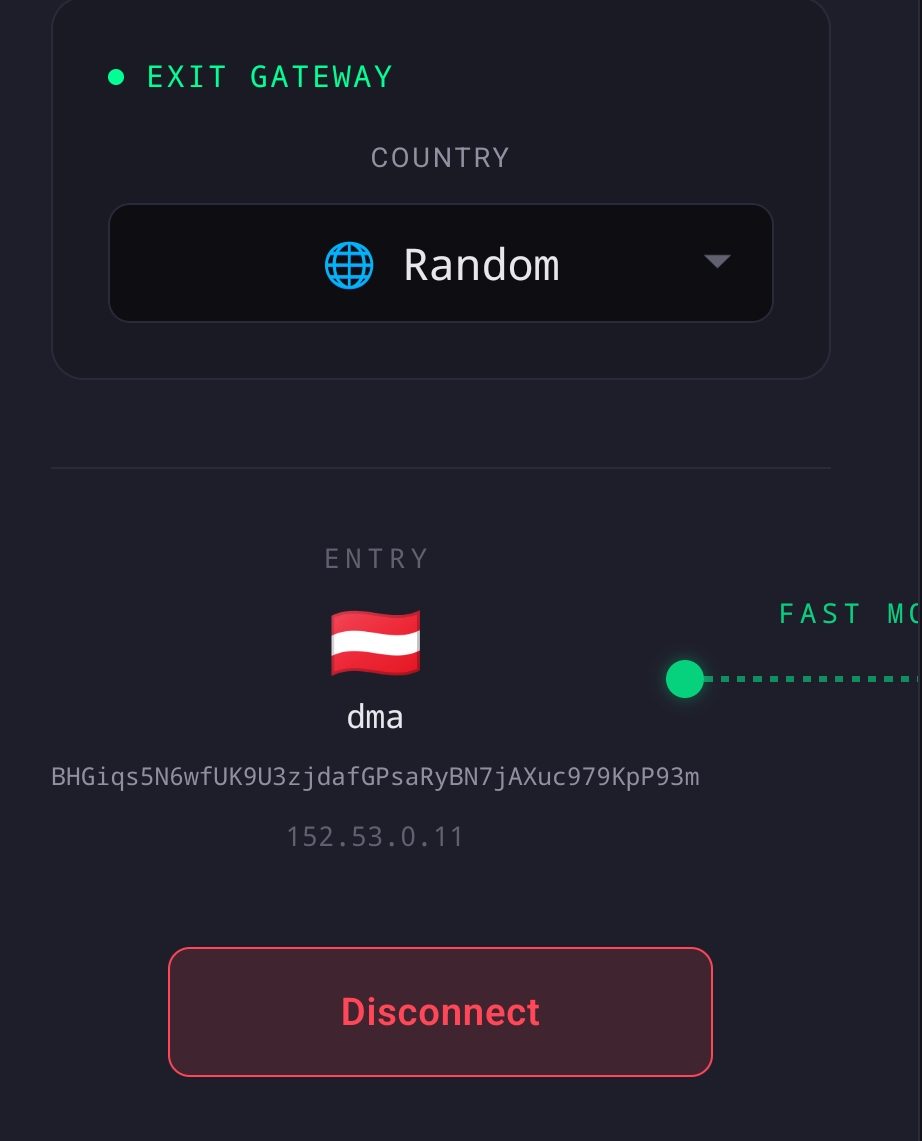
wants improvement for narrow (mobile) layout
and still TIME DESYNCED on openwrt with kill switch ON.
also while earlier random countries were DEFAULT since 1.27 it forces user to change SELECT COUNTRY to RANDOM or anything
more observations on 1.27.1
clock desync
with killswitch enabled. now appears in account view
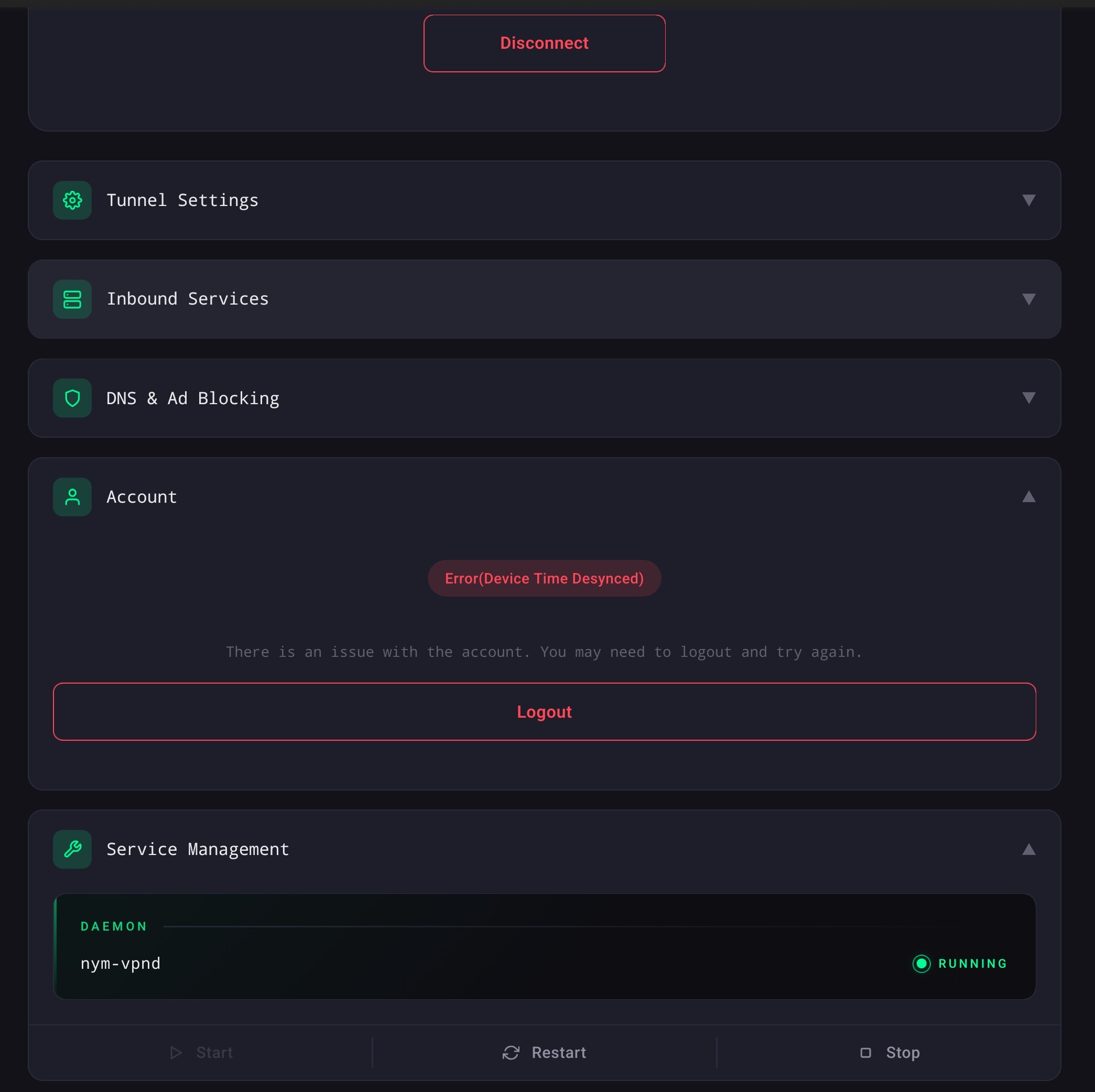
after time is synced manually, that is not enough, service restarted not enough, must stop wait few seconds, than start, error in account view will be there till page is refreshed.
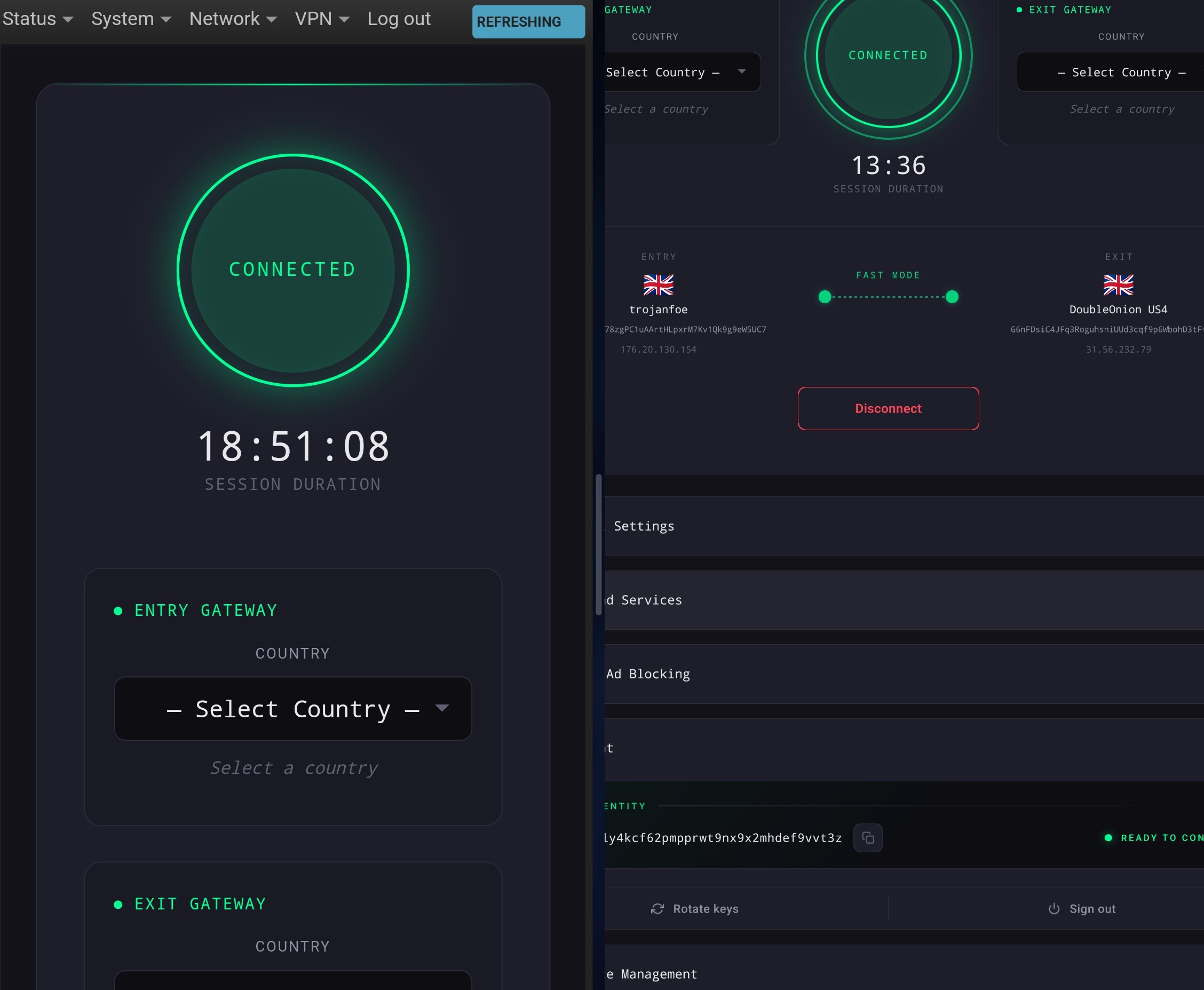
session duration
is calculated using some data from client, cookie or local data, so it is different in different sessions/browsers, as i reported that earlier.
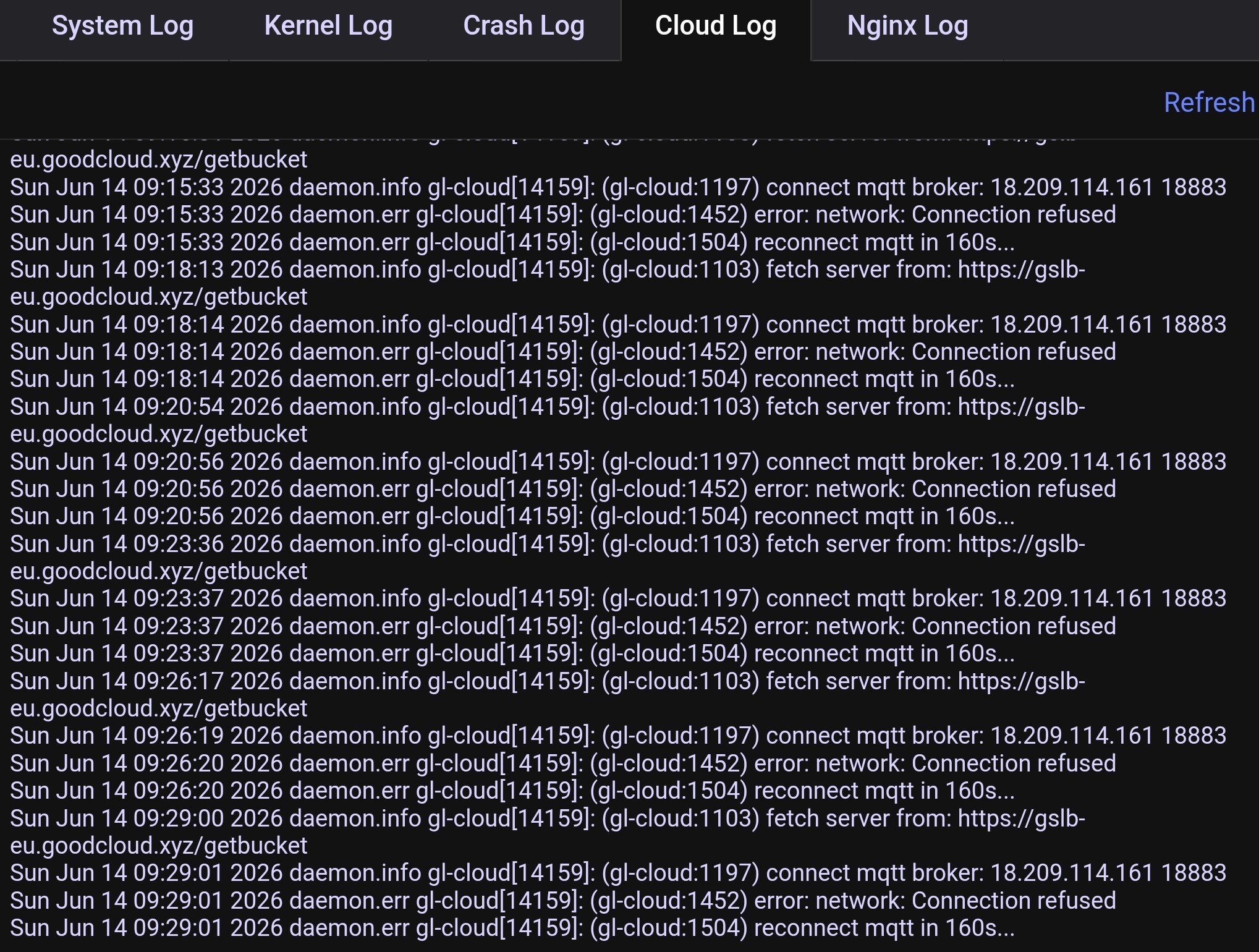
goodcloud.xyz
routers remote console, does dot work with killswitch. pls help to configure firewall.
thanks for attention
Use split tunneling with PBR, you can see a guide here: