Hi all,
I have released NymMail and before I add a README and binaries, I would appreciate if you compile and run the Go source code. For the client (nmc) and server (nms) you need to start the official nym-client on port 1977 on your home machine and VPS.
NymMail is IMHO the world’s best decentralized and global email infrastructure, powered by the Nym Mixnet.
Hope you like!
Beta-tester feedback is much appreciated and you can write me an email message, when you first use:
$ nmc -init [-c]
and then:
$ nmc -t ch1ffr3punk@mix.nym your_message.txt
You don’t have to follow any RFCs and don’t have to use
email headers and such, for your message(s) creation! 
Best regards
Ch1ffr3punk
1 Like
P.S. … to receive email messages you need to compile also the get folder and then configure the .json file for it.
Added an nce = nym-client-ephemeral folder, so that nym-client keys and addresses are for each session ephemeral. The server Nym address is however permanent.
Ohhh. Im looking forward to this developing!
1 Like
So what’s the sales pitch of NymMail for a non tech person?
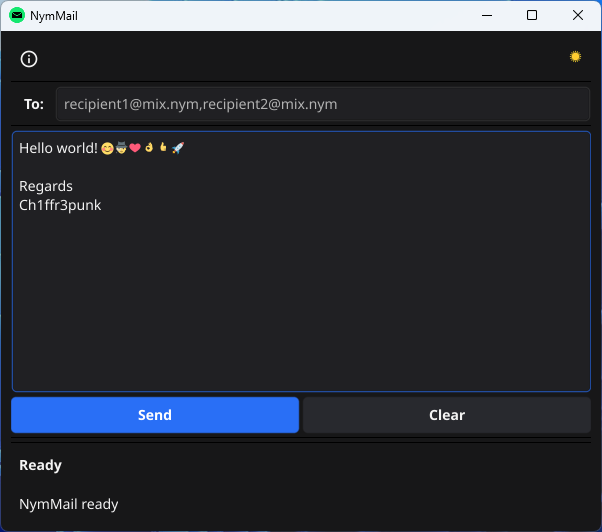
I always try to do my applications as easy to use as possible. I have now finished the GUI Desktop client and you only need a cheap VPS (24/7 running) to receive messages, up to 64KB in size. On your home Desktop PC you have to run also the official nym-client, so that NymMail can be used with the Nym Mixnet. Probably tomorrow I will explain all steps in a README on my GitHub repository.
I’m interested.
Can you please send me the invite here in dr.razon@gmail.com ?
Thanks for showing interest. However you don’t need an invite. Simply download the repository and compile, or if you can wait a little bit, I will release the binaries later so that you can use the software right away.
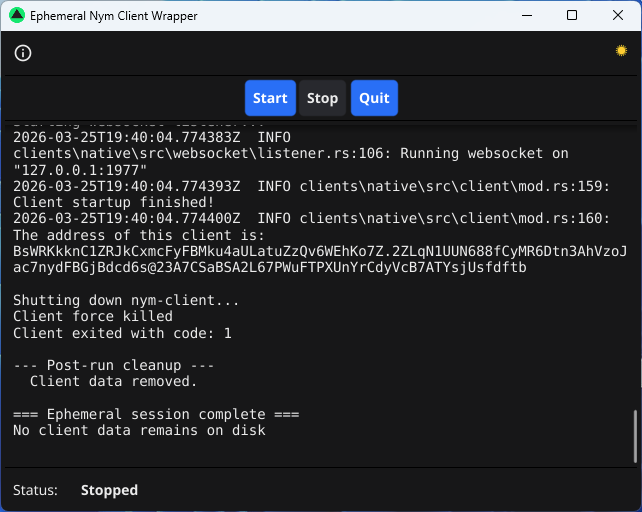
Ephemeral Nym Client Wrapper, for NymMail, finished today. Next step will be to integrate ‘get’ into the NymMail GUI, so that email messages can be also received from a VPS via the Nym Mixnet.
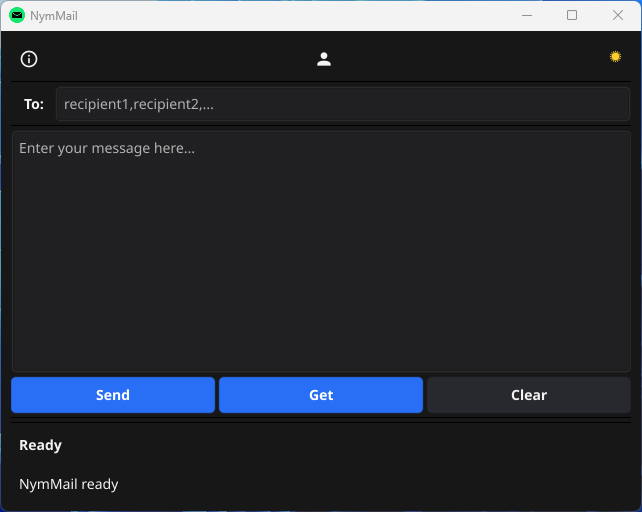
Added Get button to receive emails from a VPS, connected to the Nym Mixnet via nym-client. As you can see in the To: field, alias strings can be arbitrary and don’ have to be like @mix.nym. When using different aliases for the same Nym address, this allows a family to use only one (free) VPS server for all family members, which is pretty cool IMHO and not allowed with classic email providers. 
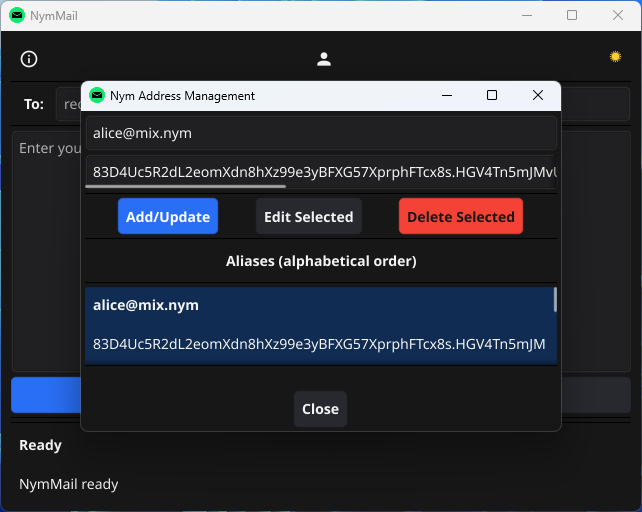
Added also an easy to use Nym address book, for managing family members, friends and co-workers.
If you like to try out my compiled Windows OS binaries, you can download them from my repository under Releases. The .zip file contains also the required Linux binary nms, for your VPS server, to receive emails via the Nym Mixnet. Additionally I have also included the official nym-client, compiled for Windows. For your VPS server you will need to download the nym-client from the official nym GitHub repository, which you can find under Releases. The enc.exe program you must start on your Windows PC before using NymMail, because it is a wrapper for nym-client.exe, so that NymMail works with the Nym Mixnet. All in all Nym Mail is very easy to use and gives you now the possibility to communicate globally with family, friends and co-workers in a decentralized way, powered by the Nym Mixnet, which was not possible before.
Please give feedback and I hope you like NymMail as much as I do. A README and a clear net gateway, so that you can send emails or Usenet postings to the clear net, will follow at a later date.
Best regards
Ch1ffr3punk
Trying out your mail client (WIN).
Not sure what to enter in the NymMail.json?